
Sirius Agent
The mind behind the mission.
Plan, build, remember. Keep going until the work is done.
A new chapter for your Mac
Big ideas deserve a little follow-through.
Meet the team that gets to work.
The mind behind the mission.
Plan, build, remember. Keep going until the work is done.

Big ideas. Open tabs.
Research, create and work inside real websites.

A helping hand. On your Mac.
Reach beyond the browser and work with desktop apps.
Already getting things done
A few things we’ve been doing as we build the next Sirius.
A real session · Onshape
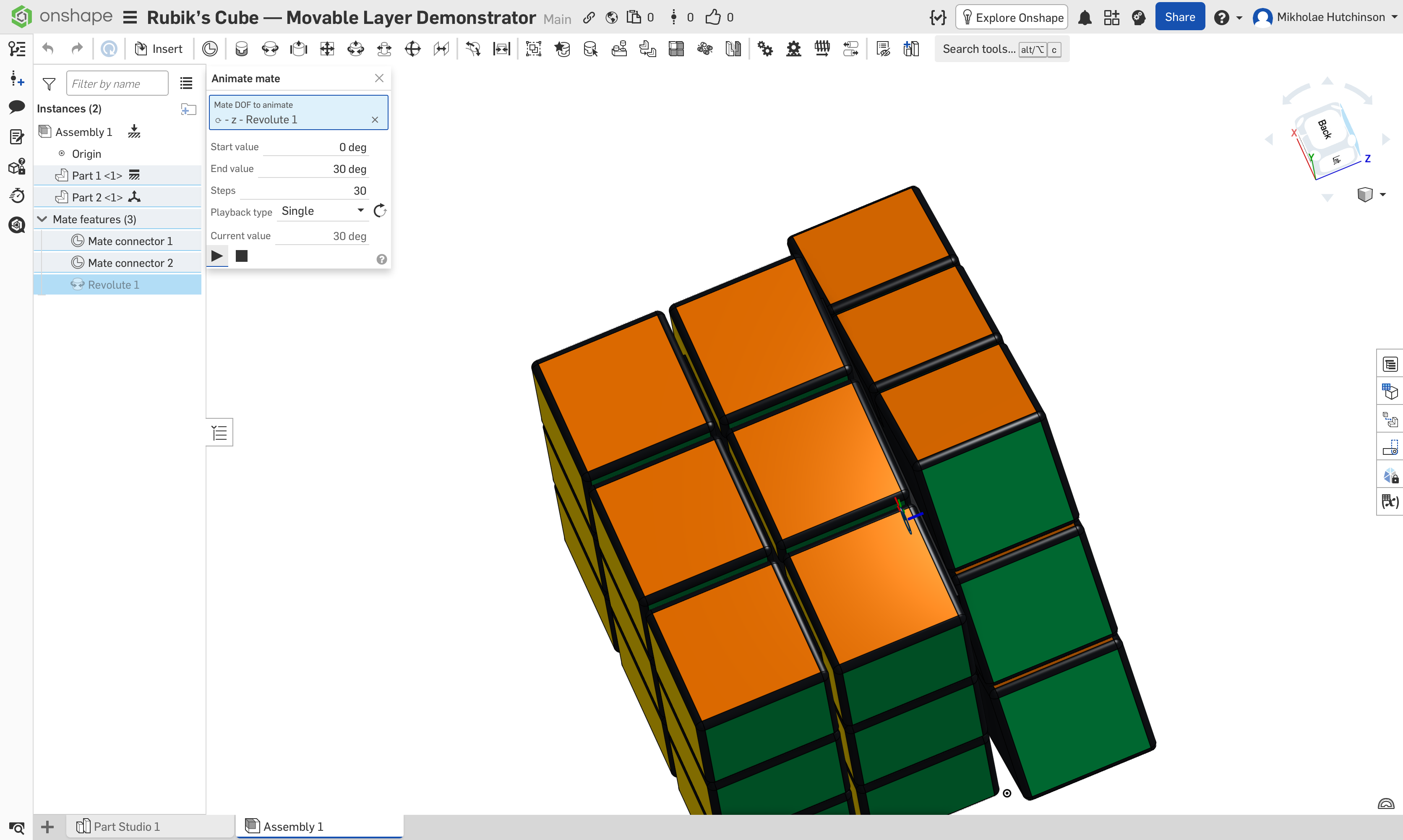
Rounded cubies. Six classic colors. Editable dimensions and patterns. Built through the browser UI.
Then came the follow-up: make it move. Sirius preserved the static original, made a separate assembly, added a centered revolute mate, and verified a 90° layer turn.
Open the Onshape assemblyOne rotating layer, with the lower two fixed. A motion demonstrator; a fully twistable puzzle is a further step.
In the browser
Rich document editing, file uploads, live canvases and even controlling a virtual machine in a browser. Real interactions, with visible results.
Interactive apps
Built interactive tools with saved state, previews and their own icons. Saved to the Library to use again. Your own little apps, beyond the conversation.
Documents
Drafted and revised documents, produced PDFs, and checked the rendered pages before handing them over. A finished file you can open, read and keep working on.
Memory
Recalled details from earlier conversations using memory on the Mac. The next conversation can build on the last, without starting with another recap.
Your tools
Connect MCP servers, install skills and manage plugins in the native app. Give Sirius the tools and procedures your work calls for.
On the desktop
Open and reopen documents, work with native text selections, and interact with app controls. SiriusCUA brings the family to desktop workflows.
From our development sessions and project history. Sirius 0.2.0 is in development; these examples preview the work behind the upcoming release.
Sirius 0.2.0
Coming soon to your Mac.
See you soon